Golden Hour Drive
Lumen Avenue
Black
Solid black, like the camera housing it opens from.
Themes
11 looks in ILoveNotch 2.0, and each one reaches every tab: its own icons, buttons, fields, cards and selection. Pick one in Settings › Appearance.
Solid black, like the camera housing it opens from.
Liquid Glass below a black band across the camera, with thin line icons. On macOS 26.
All black, rounder, with Apple's own symbols. The player glows with the album's colors.
Bold titles, two-tone icons, and Home's cards in peach, butter, mint and lilac.
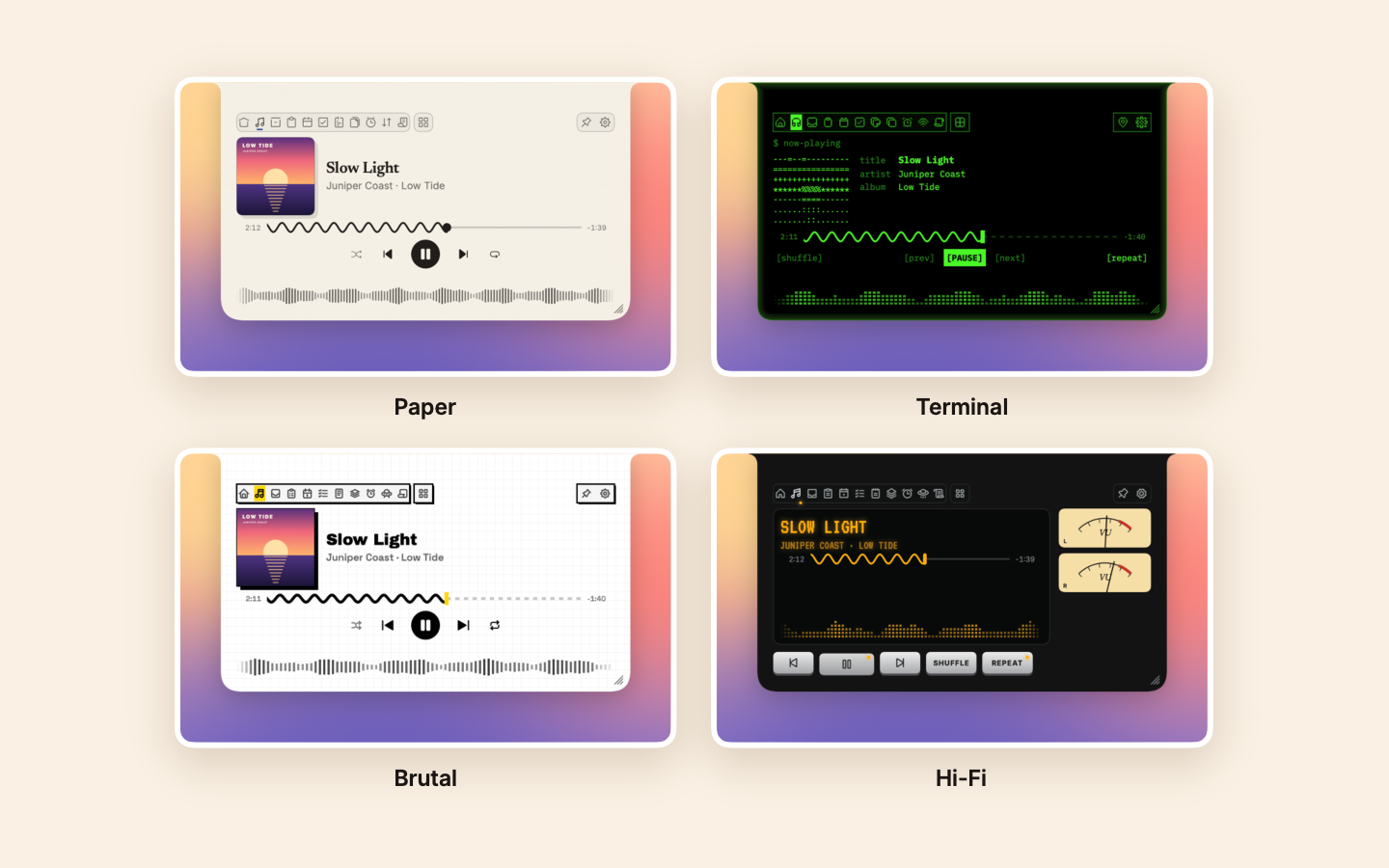
Dot-matrix type, a faint grid of dots, and one red accent.
Warm cocoa, cream text in rounded type, and a heart-eyed notch at the head of the tabs.
The light theme: dark ink on a cream sheet, serif track names, and a highlighter in the prompter.
A black notch lit from its edges in pink, violet, cyan and amber.
Graph paper, heavy black outlines, hard shadows and a yellow accent.
A black faceplate, an amber display, silver keys and two VU meters that swing with the music.
Phosphor green, tabs numbered like a shell's windows, and a cover drawn in characters.
Apple's capsule, for the new OLED MacBook Pro.
The theme engine
Every color, font and icon set lives in a theme file, apart from the views, so a new look doesn't touch the features.
Colors, type, icons, line widths and corner roundness live in a theme file, apart from the app's code. A new look is a new file.
Themes that need their own drawings, like Hi-Fi's VU meters or Terminal's text-art cover, can replace the player and the tab row.
Animated themes stop when the notch closes and follow Reduce Motion, so the app stays at 0.0% CPU at rest.
Free and open source. macOS 14.6 or later. It updates itself from then on.
Not sure which? Compare the editions